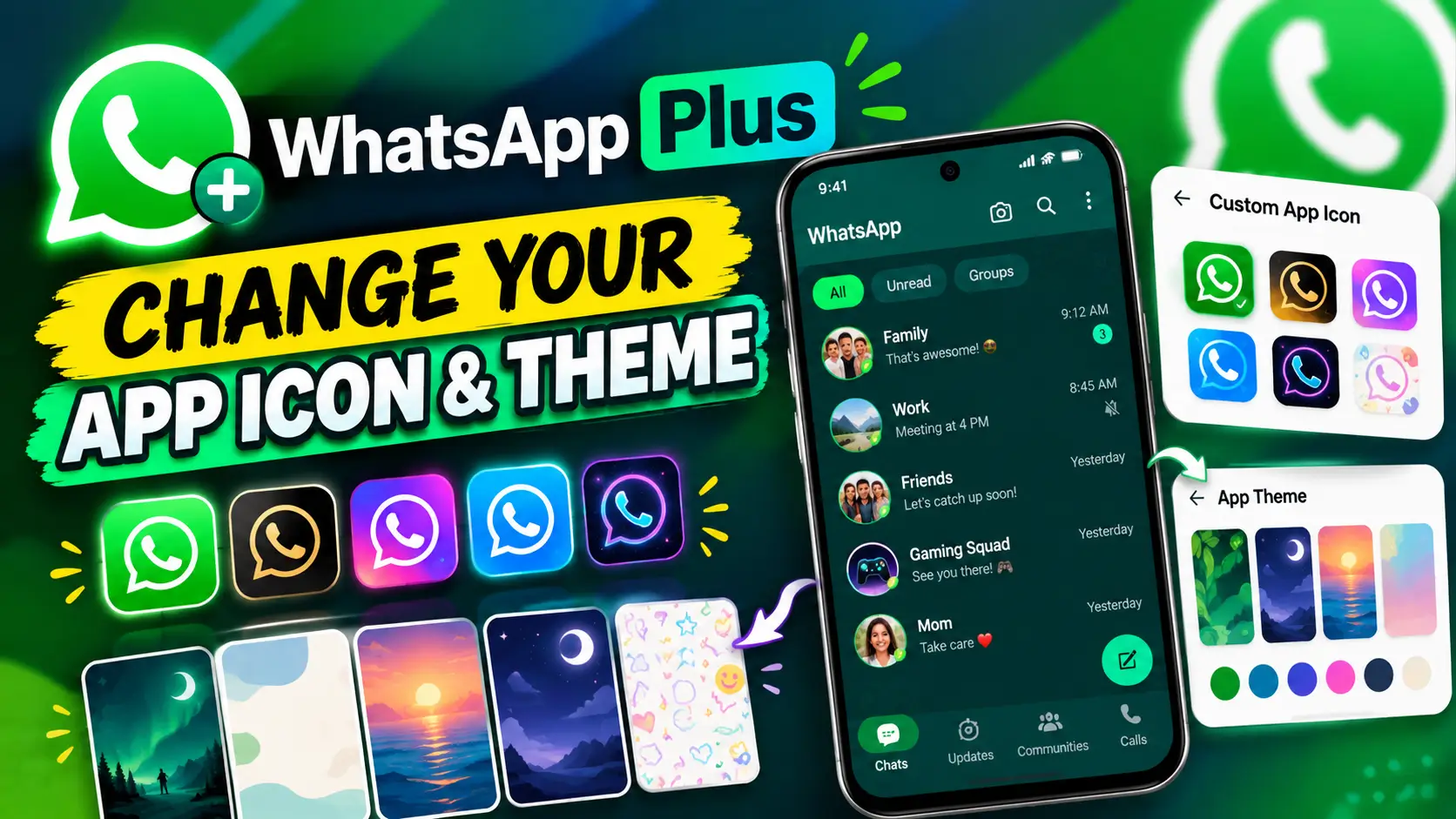
I’ve also created a video tutorial showing the complete process on a real device. Watch the WhatsApp Plus customization tutorial on YouTube if you prefer following the steps visually.
What Is WhatsApp Plus?
WhatsApp Plus is an optional subscription from WhatsApp that adds several exclusive features and customization options to the regular WhatsApp experience. According to the official WhatsApp Plus page, the subscription includes exclusive app icons, themes, custom ringtones, special-effect stickers, and the ability to pin more chats.
One of the most noticeable parts of WhatsApp Plus is its customization features. Instead of using only the standard WhatsApp appearance, eligible subscribers can choose a different app icon and customize the colors used throughout the WhatsApp interface.
What Can You Customize With WhatsApp Plus?
The WhatsApp Plus customization options shown in this tutorial focus on two visual features: the custom app icon and the app theme.
- Custom App Icon: Choose from alternative WhatsApp icon designs and change the way the app appears on your phone’s home screen.
- App Theme: Choose a different accent color and change the overall appearance of WhatsApp.
WhatsApp’s current information confirms that Plus includes exclusive icon designs and theme customization options. :contentReference[oaicite:1]{index=1}
How to Find WhatsApp Plus
If WhatsApp Plus is available on your account, you can access it directly from WhatsApp’s settings.
- Open WhatsApp on your phone.
- Go to Settings.
- Look for Subscriptions.
- Open WhatsApp Plus.
From the WhatsApp Plus section, you can view the available subscription and the exclusive features associated with it. The exact menu appearance may vary slightly depending on your WhatsApp version, device, and account.
How to Change Your WhatsApp App Icon
One of the most eye-catching WhatsApp Plus features is the ability to choose a different app icon. This changes the icon that appears for WhatsApp on your phone rather than changing your chats themselves.
- Open WhatsApp.
- Go to Settings.
- Tap Subscriptions.
- Open WhatsApp Plus.
- Select Custom App Icon.
- Browse through the available icon designs.
- Select the icon you want to use.
- Confirm your selection if WhatsApp asks you to do so.
Once the change is applied, the WhatsApp icon on your phone can use the selected design instead of the standard WhatsApp icon.
WhatsApp officially describes this feature as a way to choose from exclusive icon designs and customize the appearance of the app. :contentReference[oaicite:2]{index=2}
How to Change Your WhatsApp App Theme
WhatsApp Plus also provides an App Theme option that lets you change the overall color and appearance of WhatsApp.
- Open WhatsApp.
- Go to Settings.
- Tap Subscriptions.
- Open WhatsApp Plus.
- Choose Change App Theme.
- Browse the available colors or theme options.
- Select the style you prefer.
- Apply the selected theme.
The selected accent color can change the appearance of interface elements throughout WhatsApp, giving the application a different visual style.
Independent reporting on WhatsApp Plus has documented a range of new color options and explains that the selected accent color can be applied across the application’s interface. :contentReference[oaicite:3]{index=3}
WhatsApp Plus App Icon and Theme: What’s the Difference?
| Feature | What It Changes |
|---|---|
| Custom App Icon | Changes the WhatsApp icon displayed on your phone |
| App Theme | Changes the overall WhatsApp interface color and appearance |
The two options work together as visual customization features. You can change the app icon and then select an app theme to give WhatsApp a more personalized appearance.
Is WhatsApp Plus Free?
WhatsApp Plus is an optional paid subscription. It is different from the standard WhatsApp experience and provides additional features to subscribers. WhatsApp’s official website describes Plus as an optional subscription with exclusive customization and organization features. :contentReference[oaicite:4]{index=4}
The availability and pricing of WhatsApp Plus can vary depending on factors such as your account, platform, and region. Therefore, the subscription details shown on your own WhatsApp account are the most relevant information to check before subscribing.
Do You Need WhatsApp Plus to Customize Everything?
Not every WhatsApp customization feature requires WhatsApp Plus. Regular WhatsApp already provides several ways to personalize individual chats, including chat wallpapers, colors, and chat themes. WhatsApp Plus adds additional customization options, including the ability to change the overall app theme and use exclusive app icons.
For example, if you are mainly interested in customizing individual conversations rather than the entire application, you can explore WhatsApp’s standard chat customization settings first.
If you’re interested in other WhatsApp customization and privacy features, you can also read our guide on Chat Lock for WhatsApp Secret Code.
WhatsApp Plus Availability
If you don’t see Subscriptions or WhatsApp Plus inside your WhatsApp settings, the feature may not be available for your account yet. WhatsApp features can be introduced gradually, and the available options can differ between accounts and regions.
Make sure you are using the latest version of WhatsApp from the official app store. You should also avoid downloading unofficial modified versions of WhatsApp that use names such as WhatsApp Plus outside the official subscription feature.
The WhatsApp Plus discussed in this article refers to the official subscription described by WhatsApp, not an unofficial modified WhatsApp application.
More WhatsApp Tips From Sajidz Tech
If you use WhatsApp regularly, check out some of our other tutorials for useful features and settings:
- How to Create a WhatsApp Channel in 2026
- Chat Lock for WhatsApp Secret Code: How to Lock & Hide Chats
- Explore More Technology Guides on Sajidz Tech
You can also watch the complete WhatsApp Plus app icon and theme tutorial on YouTube to follow the process visually.
Final Thoughts
WhatsApp Plus adds a new level of visual customization to WhatsApp. If the feature is available on your account, you can go to Settings → Subscriptions → WhatsApp Plus and explore options such as Custom App Icon and Change App Theme.
The custom app icon changes how WhatsApp appears on your phone’s home screen, while the app theme changes the visual style of the WhatsApp interface. These features are part of WhatsApp Plus’s optional subscription and may not be available to every account or in every region.
If you want to see exactly how these options work, watch the video above and follow the steps on your own device.



leave a comment