How to Create a WhatsApp Channel in 2026: Step-by-Step Guide
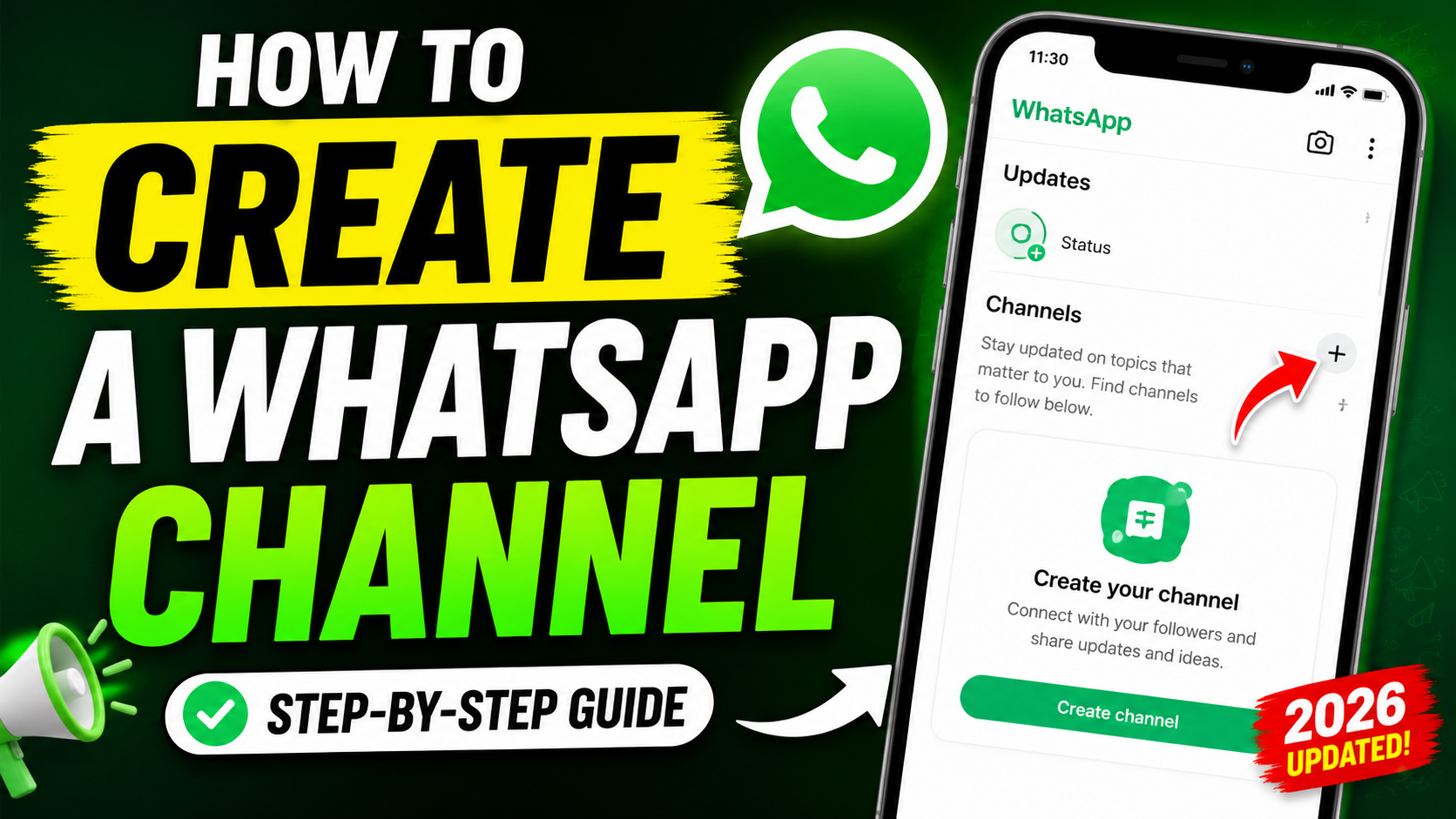
How to Create a WhatsApp Channel in 2026: Step-by-Step Guide
-
10Views
-
30th August, 2026
Introduction:
How to create a WhatsApp Channel in 2026 i will show you, including how to choose a channel name, add a description and icon, publish your first update, and share your channel with other people.
What Is a WhatsApp Channel?
A WhatsApp Channel is a one-way broadcasting feature that allows creators, businesses, organizations, and individuals to share updates with their followers.
Unlike a normal WhatsApp group, followers don’t have a regular conversation with the channel administrator. Instead, the admin publishes updates and followers can interact through features such as emoji reactions and polls. WhatsApp supports different types of channel content, including text, images, videos, stickers, links, audio, and polls.
Channels appear separately from personal conversations in the Updates section of WhatsApp, making them useful for people who want to follow specific topics without joining a group chat.
Why Should You Create a WhatsApp Channel?
There are several reasons to create one.
A WhatsApp Channel can be useful for:
- Personal brands and creators
- Small businesses
- Online stores
- Websites and blogs
- News and information pages
- Educational content
- Communities and organizations
- YouTube creators
- Freelancers and professionals
For example, if you run a technology website, you could use a WhatsApp Channel to share your latest articles, tutorials, software updates, AI news, and useful tips with your followers.
WhatsApp also provides channel insights, including information about reach, followers, follows and unfollows, top regions, reactions, and poll activity, giving administrators a way to understand how their audience interacts with their content.
How to Create a WhatsApp Channel
The exact appearance of WhatsApp can vary slightly depending on your device and app version, but the basic process is straightforward.
Step 1: Open WhatsApp
Open the latest version of WhatsApp on your Android phone or iPhone.
Make sure WhatsApp is updated if you don’t see the Channels option. WhatsApp also supports Channels through WhatsApp Business and on supported desktop platforms.
Step 2: Open the Updates Section
Go to the Updates tab.
This is where WhatsApp displays Status updates and Channels.
Look for the Channels section and tap the plus (+) button or the corresponding add option.
Step 3: Select “Create Channel”
Choose Create channel and continue through the introduction screen.
WhatsApp will then take you through the channel setup process.
Step 4: Choose a Channel Name
Enter the name you want to use for your channel.
Choose something that clearly tells people what your channel is about.
For example:
- Sajidz Tech
- Daily Tech Tips
- WordPress Tutorials
- AI News Daily
- Photography Tips
According to WhatsApp’s current channel settings, a channel name can contain up to 100 characters. You can also change the name later if necessary.
Step 5: Add a Channel Description
Add a short description explaining what followers can expect from your channel.
For example:
Get the latest technology news, AI tools, WordPress tutorials, web development tips, and useful tech tricks.
A good description helps potential followers understand the purpose of your channel before they decide to follow it.
You can also edit the description later.
Step 6: Add a Channel Icon
You can add an image as your channel icon.
For a business or personal brand, using your logo is usually a good option. For a topic-focused channel, you can use an image that clearly represents the subject.
WhatsApp currently allows administrators to add or change a channel icon using options such as uploading an image, taking a photo, or using an emoji or sticker.
Step 7: Create the Channel
Once you’ve entered the channel name and optional information, select Create channel.
Your WhatsApp Channel is now ready.
How to Publish Your First WhatsApp Channel Update
After creating the channel, you can start publishing updates.
Depending on the available features, you can share:
- Text
- Photos
- Videos
- Links
- Stickers
- Audio
- Polls
- Other supported channel content
WhatsApp describes Channels as a one-way broadcast system, so your updates are published from the channel rather than appearing as messages from your personal WhatsApp account.
For example, a technology channel could publish:
New WhatsApp feature you should know about 📱
Here’s how to enable it…
You can then include an image, video, or link if appropriate.
How to Share Your WhatsApp Channel
Creating a channel is only the first step. You also need to make it easy for people to find and follow it.
WhatsApp provides your channel with a shareable link and QR code. You can share the channel through WhatsApp chats, Status, websites, social media, and other applications.
To get your channel link, open your channel and use the share link option.
You can then copy the link or send it directly through WhatsApp.
For example, if you have a website, you could add a “Follow us on WhatsApp” button that directs visitors to your channel.
Can People See My Phone Number?
One useful feature of WhatsApp Channels is that followers don’t normally see the administrator’s WhatsApp phone number, profile name, or profile picture simply because they follow the channel.
However, channel administrators should still be careful about what information they publish. WhatsApp also notes that channels are publicly accessible and channel updates are not end-to-end encrypted.
If you add other people as administrators, remember that admins can see information about other admins according to WhatsApp’s administrator privacy rules.
How Many People Can Follow a WhatsApp Channel?
WhatsApp describes Channels as allowing updates to be shared with an unlimited audience, making them different from traditional WhatsApp groups that have membership limits.
This makes Channels particularly useful if you’re building an audience around a brand, website, business, or content niche.
Tips for Growing Your WhatsApp Channel
Simply creating a channel doesn’t guarantee that people will follow it. You need to give people a reason to come back.
Here are some practical tips:
1. Choose One Clear Topic
Don’t make your channel about everything.
Instead, focus on a clear subject such as technology, business, education, gaming, fitness, or news.
2. Post Consistently
Try to maintain a predictable posting schedule.
You don’t necessarily need to publish dozens of updates every day. Useful and relevant content is more important than simply increasing the number of posts.
3. Keep Updates Short
WhatsApp itself recommends keeping written channel updates concise and focused, particularly when sharing tips, useful information, or timely updates.
4. Use Images and Videos
Visual content can make your updates easier to notice and understand.
For example, a tutorial channel could share a screenshot along with a short explanation and a link to the full tutorial.
5. Use Polls
Polls can be a simple way to encourage audience interaction.
You could ask:
Which browser do you use most?
- Chrome
- Firefox
- Edge
- Safari
WhatsApp currently supports channel polls and allows administrators to review poll results.
6. Promote Your Channel Outside WhatsApp
Add your WhatsApp Channel link to your:
- Website
- YouTube channel
- Facebook page
- Instagram bio
- Email signature
- Blog posts
- Other social media profiles
This gives your existing audience an easy way to follow you on WhatsApp.
Are WhatsApp Channels Free?
Creating and operating a standard WhatsApp Channel is available through WhatsApp without requiring a separate subscription for the basic channel creation process.
WhatsApp also has additional features and business-related options that may have separate requirements or availability depending on your account and region.
WhatsApp Channel vs WhatsApp Group
A WhatsApp Group is designed more like a conversation between members and administrators.
A Channel is designed primarily for broadcasting updates to followers.
If you want people to actively chat with each other, a WhatsApp Group may be more appropriate.
If you want to publish announcements, tutorials, news, links, videos, or other updates to a large audience without turning it into a group conversation, a WhatsApp Channel is a better fit.
Final Thoughts
Creating a WhatsApp Channel only takes a few minutes, and it can be a useful way to build a direct audience around your content, website, business, or personal brand.
The basic process is simple: open WhatsApp → Updates → Channels → Create channel, choose your channel name, add a description and icon, and create the channel. After that, start publishing useful updates and share your channel link to attract followers.
If you’re interested in WhatsApp tutorials, check out our related technology guides on SajidzTech, and don’t forget to subscribe to the Sajidz Tech YouTube channel for more practical technology tips and tutorials.
Tags:
create a whatsapp channel create whatsapp channel how to create whatsapp channel how to make whatsapp channel how whatsapp channel works sajid hasan sajid tech sajidz tech whatsapp channel whatsapp channel 2026 whatsapp channel for business whatsapp channel guide whatsapp channel setup whatsapp channel step by step whatsapp channel tutorial whatsapp channels whatsapp tips whatsapp tips and tricks whatsapp tricks whatsapp tutorial WhatsApp updatesleave a comment
Comments(5)
Search here
Categories
- Adobe (2)
- AI (2)
- Amazon (1)
- Android (9)
- Apps (3)
- Blockchain (1)
- Blog Template (1)
- Business (5)
- ChatGPT (2)
- eCommerce (1)
- Economy (1)
- Facebook (3)
- Freelancing (1)
- Garments Template (1)
- Google (3)
- Google Adsense (1)
- Google Map (2)
- Grok (1)
- Health (1)
- Instagram (2)
- jobs (1)
- Landing page (2)
- Location track (1)
- Messenger (4)
- Mobile review (6)
- Samsung (1)
- Smartphones (1)
- Social Media (3)
- Tech News (1)
- Tread (1)
- Uncategorized (2)
- viber (1)
- Web Development (4)
- WhatsApp (17)
- Windows (2)
- Wordpress (3)
- Xiaomi (1)
- YouTube (1)
Latest posts
- Eyer View Counter and Stats: Lightweight WordPress Post Analytics Plugin
- How to Easily Remove Unwanted Objects from Photos with AI in 2026 : The latest way you don’t know
- WhatsApp Custom Emoji Reactions | How to Change Them in 2026 : An ultimate guide you be excited to use
- WhatsApp Plus: How to Change App Icon & Theme in 2026 : You be excited to use it
- New WhatsApp Chat Themes in 2026: 5 Exciting Styles You’ll Love 🎨
Latest Posts
-

Eyer View Counter and Stats:...
By #Sajid Hasan On 14, Oct, 2026 -

How to Easily Remove Unwanted...
By #Sajid Hasan On 05, Oct, 2026 -
WhatsApp Custom Emoji Reactions |...
By #Sajid Hasan On 26, Sep, 2026 -

WhatsApp Plus: How to Change...
By #Sajid Hasan On 22, Sep, 2026 -

New WhatsApp Chat Themes in...
By #Sajid Hasan On 21, Sep, 2026
🖊 Transfer # N4647 from Coinbase. GET ->>> graph.org/Bitcoin-Mining-08-27?hs=29ab5ac220818f6834cac8a80f4da957& 🖊
August 31, 2026
🖊 Transfer # N4647 from Coinbase. GET ->>> graph.org/Bitcoin-Mining-08-27?hs=29ab5ac220818f6834cac8a80f4da957& 🖊
How to Recover Deleted WhatsApp Photos in 2026 | 3 Easy Ways - Sajidz Tech
September 13, 2026
[…] How to Create a WhatsApp Channel in 2026 […]
How to Transcribe WhatsApp Voice Messages Into Text in 2026 - Sajidz Tech
September 14, 2026
[…] How to Create a WhatsApp Channel in 2026 […]
How to Recover Deleted Instagram Posts, Reels & Stories in 2026: The Ultimate Guide - Sajidz Tech
September 15, 2026
[…] For WhatsApp users, check out our guide on how to create a WhatsApp Channel in 2026. […]
How to Remove Unwanted Objects from Photos with AI in 2026
October 5, 2026
[…] customization, you can read our guide on Chat Lock for WhatsApp Secret Code. You can also learn how to create a WhatsApp Channel and discover other practical WhatsApp tutorials on Sajidz […]