How to Hide Your Phone Number on WhatsApp in 2026: Ultimate Guide
How to Hide Your Phone Number on WhatsApp in 2026: Ultimate Guide
-
3Views
-
19th September, 2026
How to Hide Your Phone Number on WhatsApp in 2026: Complete Username Guide
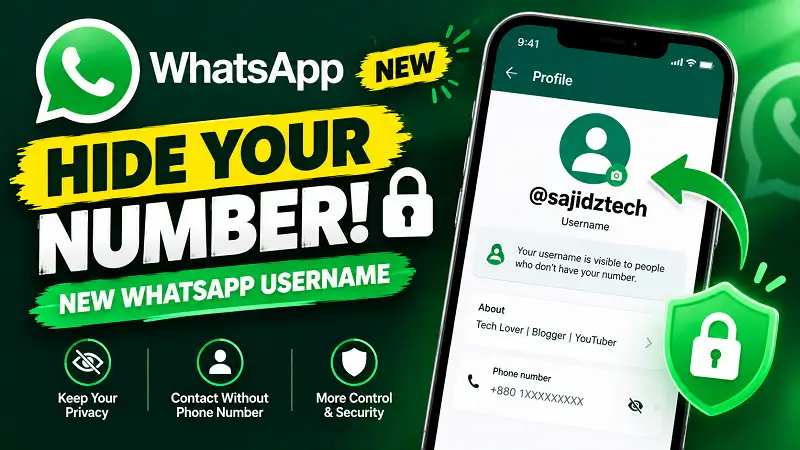
Want to learn how to hide your phone number on WhatsApp when connecting with new people? WhatsApp is rolling out a new username feature that gives users another way to connect without immediately exposing their phone number.
In this guide, you will learn how WhatsApp usernames work, how to create a username, how usernames can help protect your phone number, what a WhatsApp username key does, and what other people can still see when they contact you.
The feature is being rolled out gradually, so the username option may not be available on every WhatsApp account yet. If you do not see it, make sure WhatsApp is updated and check again later.
How to Hide Your Phone Number on WhatsApp Using a Username
The new WhatsApp username feature provides a way to connect with people without giving them your phone number immediately. Instead of sharing your number, you can use a unique username that other people can enter to start a conversation with you.
This is particularly useful when communicating with people you do not know personally, such as clients, customers, online communities, professional contacts, or people you meet through social platforms.
WhatsApp still requires a phone number for your account, but your number can remain private from people who do not already have it saved when you connect through your username.
What Is a WhatsApp Username?
A WhatsApp username is a unique identifier that can be used to help people find and contact you without requiring you to give them your phone number first.
Your username is different from your WhatsApp display name. Your display name is the name people may see on your profile, while the username is a unique identifier associated with your account.
WhatsApp usernames must follow certain rules. Your username needs to be unique, cannot consist only of numbers, and may not contain certain restricted words or phrases.
WhatsApp is also rolling out usernames gradually, which means some users may have the feature before others.
How to Create a WhatsApp Username in 2026
If the username feature is available on your account, you can create your username from your WhatsApp profile settings.
- Open WhatsApp on your phone.
- Open Settings.
- Tap your profile.
- Look for the Username option.
- Enter your preferred username.
- Check whether the username is available.
- Save your username.
The exact appearance of the option may vary depending on your WhatsApp version and device. If you cannot find the username option, the feature may not have reached your account yet.
After creating a username, you can share it with people who want to contact you. WhatsApp also supports sharing your username through a link or QR code in supported experiences.
How to Hide Your Phone Number on WhatsApp From New Contacts
One of the main privacy benefits of usernames is that they can reduce the need to share your phone number with new contacts.
For example, imagine that you want a new client to contact you on WhatsApp. Instead of sending your phone number, you may be able to share your WhatsApp username. The person can then use your username to start a conversation without already having your number saved.
This can be useful for freelancers, business owners, creators, community administrators, and anyone who regularly communicates with people they do not know personally.
However, this does not mean your phone number disappears from WhatsApp completely. Your WhatsApp account is still connected to a phone number.
How to Hide Your Phone Number on WhatsApp Without Changing Your Number
You do not need to change your existing WhatsApp number simply because you want more privacy when communicating with new people.
The username system is designed to provide another way for people to connect with you. Your existing account, chats, groups, and phone number remain associated with your WhatsApp account.
This makes usernames different from changing your WhatsApp number. If you are considering changing your number for another reason, you can also read our guide on how to change your WhatsApp number without losing chats.
What Is the WhatsApp Username Key?
WhatsApp also uses a username key as part of the username system. Depending on the situation, someone contacting you through your username may need to provide the correct key.
The key adds another layer of control when sharing your username with other people. WhatsApp’s current documentation explains that certain existing connections may not need the key, including people who already have your phone number, people you have previously chatted with, people who share a group with you, or people you have already contacted.
This means the username system is not simply a public directory where anyone can search every WhatsApp user.
Can Anyone Search for Your WhatsApp Username?
No. WhatsApp usernames are not designed as a public directory of every user.
Someone generally needs your exact username or a supported username link or QR code to contact you through this method.
This is important because creating a username does not mean that your WhatsApp account suddenly becomes publicly searchable by everyone on the internet.
Who Can Still See Your Phone Number?
Understanding how to hide your phone number on WhatsApp also requires knowing the limitations of the feature.
People who already have your phone number saved may still be able to see it. The username feature is mainly intended to help protect your number when connecting with people who do not already have it.
Therefore, a username should not be considered a complete replacement for WhatsApp’s other privacy settings.
You should still review settings such as your profile photo, About information, status, last seen, online visibility, and group privacy according to your preferences.
How to Improve WhatsApp Privacy Beyond Your Username
A username is only one part of your WhatsApp privacy setup. You can combine it with other privacy controls to reduce the amount of personal information visible to other users.
- Review your Last Seen and Online settings.
- Control who can see your profile photo.
- Review who can see your About information.
- Control who can add you to groups.
- Enable two-step verification.
- Use App Lock when supported by your device.
- Use Chat Lock for particularly private conversations.
If you want to protect individual conversations, check our guide on Chat Lock for WhatsApp Secret Code.
You can also learn more about WhatsApp’s Last Seen and Online privacy settings from the official WhatsApp Help Center.
What Happens If You Delete Your WhatsApp Username?
WhatsApp allows users to change or delete their username when the feature is available.
However, you should understand the privacy implications before deleting it. WhatsApp’s documentation indicates that deleting a username can make your phone number visible again in situations where the username was previously being used to keep it private.
If you have already shared your username with clients, friends, or online contacts, changing or deleting it may also affect how those people contact you.
Is a WhatsApp Username the Same as Your Display Name?
No. Your WhatsApp username and display name serve different purposes.
Your display name is the name associated with your WhatsApp profile and can be shown in different situations. Your username is a unique identifier that can be used as an alternative way for people to connect with you.
This distinction is important when learning how to hide your phone number on WhatsApp because simply changing your display name does not hide your phone number.
Frequently Asked Questions About How to Hide Your Phone Number on WhatsApp
Can I completely hide my phone number from everyone on WhatsApp?
No. A WhatsApp account still requires a phone number. The username feature is designed to help keep your number private from people who do not already have it saved when you connect with them through your username.
Does creating a WhatsApp username remove my phone number?
No. Creating a username does not remove your phone number from your WhatsApp account. It simply gives you another way to connect with people.
Why can’t I see the WhatsApp username option?
WhatsApp is rolling out the username feature gradually. Your account may not have access to it yet. Make sure you are running the latest available version of WhatsApp and check your profile settings again later.
Can someone find me on WhatsApp using only my username?
WhatsApp does not provide a general public directory of usernames. People need your exact username or a supported username link or QR code to connect with you.
Can people who already know my phone number still see it?
Yes. The username feature is primarily designed to keep your number private from people who do not already have it.
Can I change my WhatsApp username later?
Yes. WhatsApp allows users with access to the feature to change or delete their username according to the current username rules.
Final Thoughts on How to Hide Your Phone Number on WhatsApp
Learning how to hide your phone number on WhatsApp is becoming easier with the introduction of usernames. Instead of immediately sharing your phone number with every new contact, you can use a unique username to provide another way for people to connect with you.
The feature can be particularly useful for online creators, freelancers, businesses, community administrators, and anyone who communicates with people they do not already know personally.
Remember that usernames do not remove your phone number from your WhatsApp account, and people who already have your number may still be able to see it. For the best privacy setup, combine your username with WhatsApp’s other privacy and security controls.
For the latest official information, check the WhatsApp Help Center’s username documentation.
If you prefer watching a step-by-step demonstration, you can also watch our video: How to Hide Your Phone Number on WhatsApp in 2026.
For more WhatsApp tutorials, privacy guides, AI tools, and practical technology tips, visit Sajidz Tech and subscribe to the Sajidz Tech YouTube channel.
Tags:
contact someone without phone number whatsapp hide phone number whatsapp how to create a username on whatsapp how to create whatsapp username how to hide phone number on whatsapp how to hide your phone number on whatsapp how to use whatsapp username new whatsapp feature 2026 sajid tech sajidz tech WhatsApp 2026 whatsapp hide phone number WhatsApp new feature WhatsApp privacy whatsapp privacy settings whatsapp security whatsapp tips whatsapp tricks whatsapp tutorial whatsapp username whatsapp username 2026 whatsapp username key whatsapp without sharing phone numberComments(0)
Search here
Categories
- Adobe (2)
- AI (2)
- Amazon (1)
- Android (9)
- Apps (3)
- Blockchain (1)
- Blog Template (1)
- Business (5)
- ChatGPT (2)
- eCommerce (1)
- Economy (1)
- Facebook (3)
- Freelancing (1)
- Garments Template (1)
- Google (3)
- Google Adsense (1)
- Google Map (2)
- Grok (1)
- Health (1)
- Instagram (2)
- jobs (1)
- Landing page (2)
- Location track (1)
- Messenger (4)
- Mobile review (6)
- Samsung (1)
- Smartphones (1)
- Social Media (3)
- Tech News (1)
- Tread (1)
- Uncategorized (2)
- viber (1)
- Web Development (4)
- WhatsApp (17)
- Windows (2)
- Wordpress (3)
- Xiaomi (1)
- YouTube (1)
Latest posts
- Eyer View Counter and Stats: Lightweight WordPress Post Analytics Plugin
- How to Easily Remove Unwanted Objects from Photos with AI in 2026 : The latest way you don’t know
- WhatsApp Custom Emoji Reactions | How to Change Them in 2026 : An ultimate guide you be excited to use
- WhatsApp Plus: How to Change App Icon & Theme in 2026 : You be excited to use it
- New WhatsApp Chat Themes in 2026: 5 Exciting Styles You’ll Love 🎨
Latest Posts
-

Eyer View Counter and Stats:...
By #Sajid Hasan On 14, Oct, 2026 -

How to Easily Remove Unwanted...
By #Sajid Hasan On 05, Oct, 2026 -

WhatsApp Custom Emoji Reactions |...
By #Sajid Hasan On 26, Sep, 2026 -

WhatsApp Plus: How to Change...
By #Sajid Hasan On 22, Sep, 2026 -

New WhatsApp Chat Themes in...
By #Sajid Hasan On 21, Sep, 2026
leave a comment